
How to Submit a Research-Based Disclosure
How to Submit a Research-Based Disclosure
- Purpose: The purpose of the Research-Based disclosure is to identify if a specific outside interest may or may not conflict with a specific sponsored activity. A Research Based Disclosure is initiated for each sponsored project.
- Scope: This procedure applies to all investigators listed as key personnel on a sponsored research project.
- How to Guide:
- Locate your Research-Based Disclosure
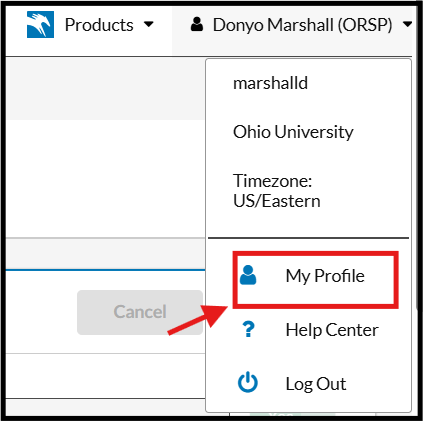
Click on your name in the top right corner and click on "My Profile"
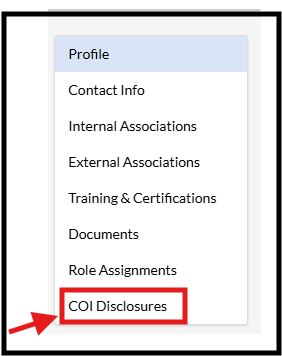
Click COI Disclosures from the left navigation bar
- Begin the Disclosure
Click on the Disclosure Name to open and begin completing your Research-Based Disclosure

- Completing Your Disclosure
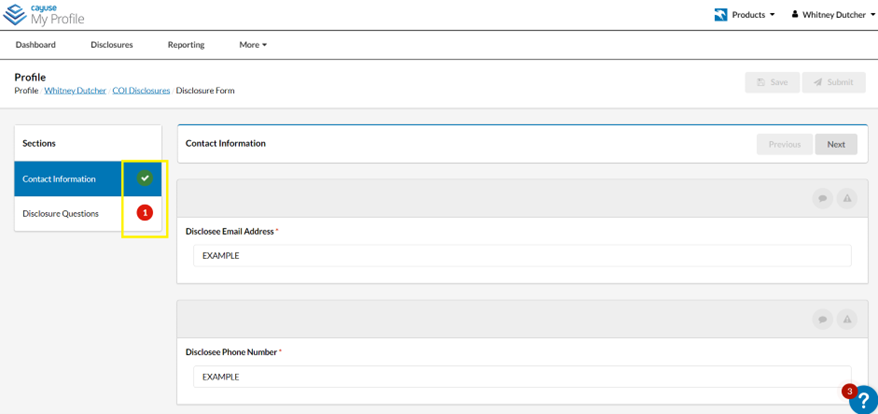
Completed sections of the form are marked with a green check mark icon. Incomplete sections appear with a red icon with the number of remaining questions in the middle of the icon.
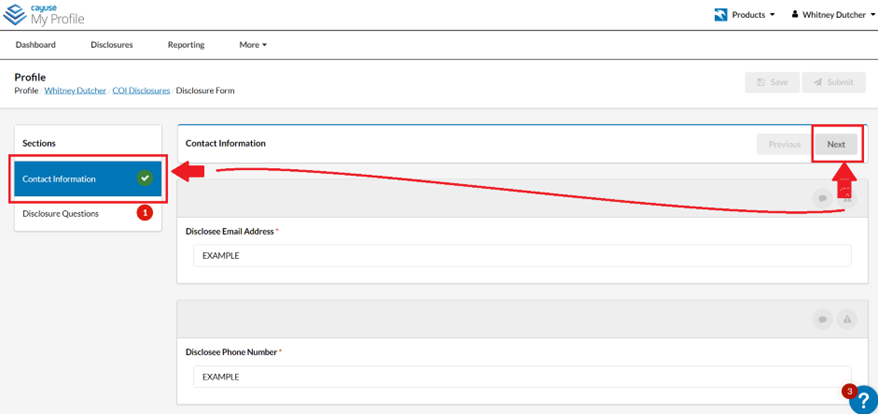
To advance from section to section, please be sure to answer each question. You can move from section to section by clicking on the section title on the left-hand side of the screen or by using the “Next” button on the right-hand side of the screen.
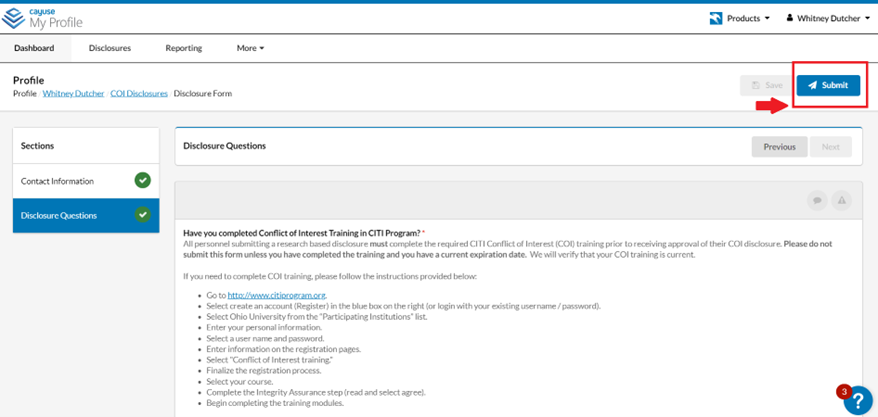
Once all required sections are completed, you will be provided with a certification statement, please read the statement carefully before hitting the “Submit” button.
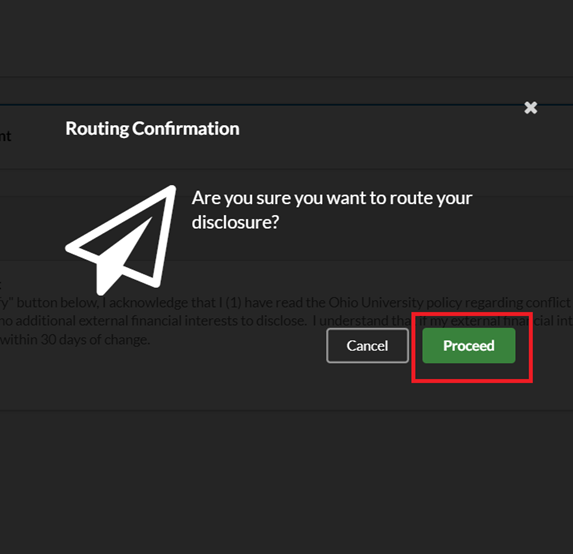
After selecting the “Submit” button you will be given the opportunity to either “Proceed” with the submission of the disclosure or to “Cancel” and resume editing the disclosure. Once you press “Proceed” the disclosure will be routed to the Office of Research Compliance for review.
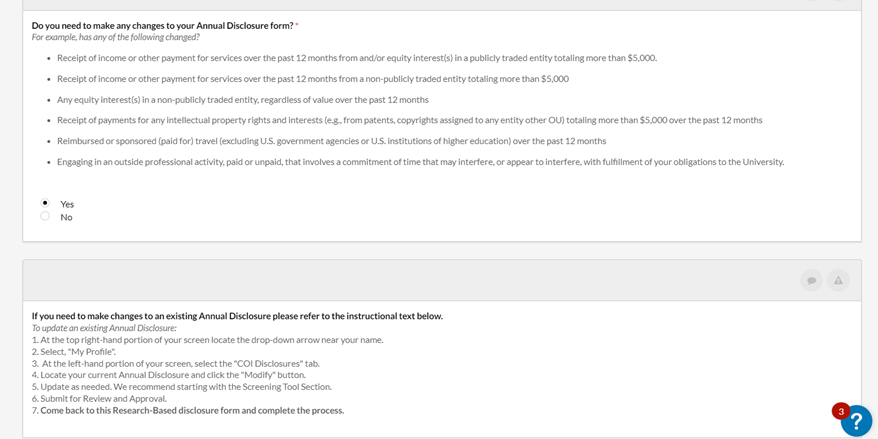
Additional Information- If you need to make changes to your Annual Disclosure, please refer to the instructions provided in the corresponding question in the Research-Based Disclosure
- Locate your Research-Based Disclosure
- What Happens Next?
- Processing- Your annual disclosure will route to the Office of Research Compliance for preliminary review. If warranted, your disclosure may need to be reviewed by the Conflict-of-Interest (COI) Committee at a convened meeting. Please note that the COI Committee meets on an as needed basis.
- Resolution- There are three potential outcomes for an Annual Disclosure:
- No COI determined
- COI determined and managed
- COI determined and not managed
- Disclosee Acknowledgement- If your Annual Disclosure requires a “COI determined and managed” resolution, you will be contacted by a representative from the Office of Research Compliance via an email or via task notification in Cayuse to review, sign, and return your COI Management Plan.
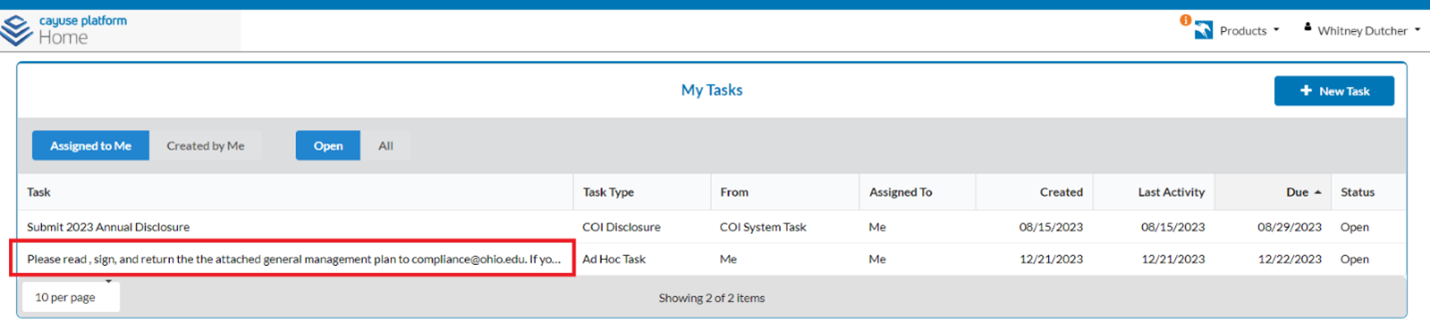
You will receive a notification from Cayuse that you have been assigned a task. Click the imbedded link to travel to your Home page in Cayuse.
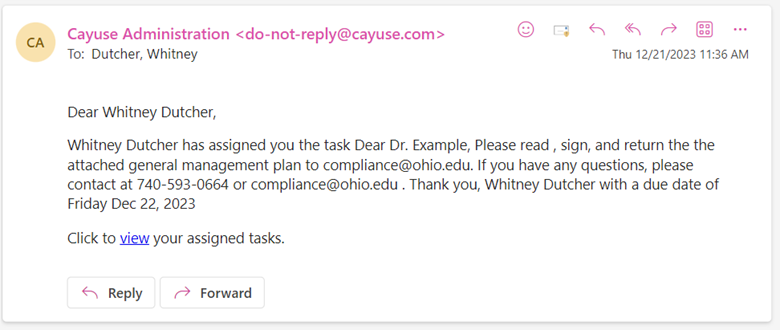
To begin the task, click on the task.
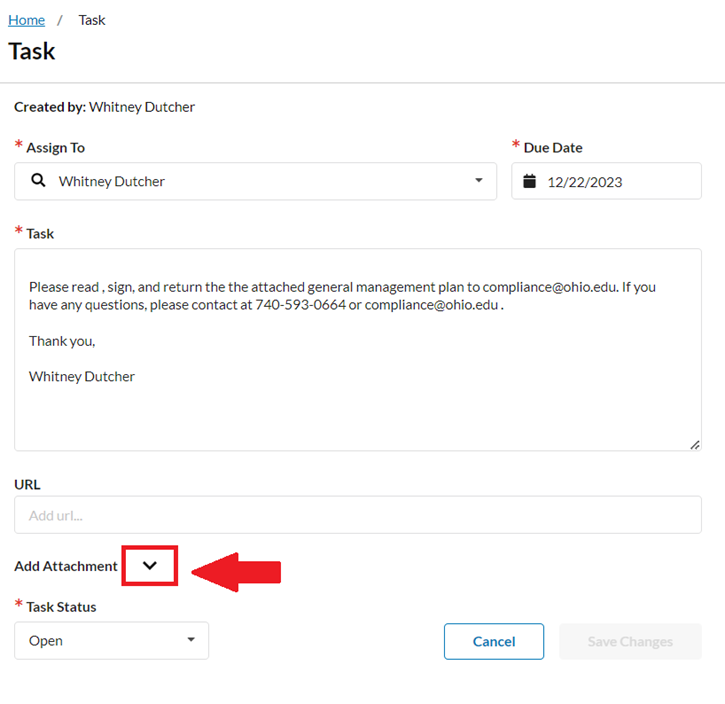
Select the drop-down arrow next to “Add Attachment” to view the attached management plan.
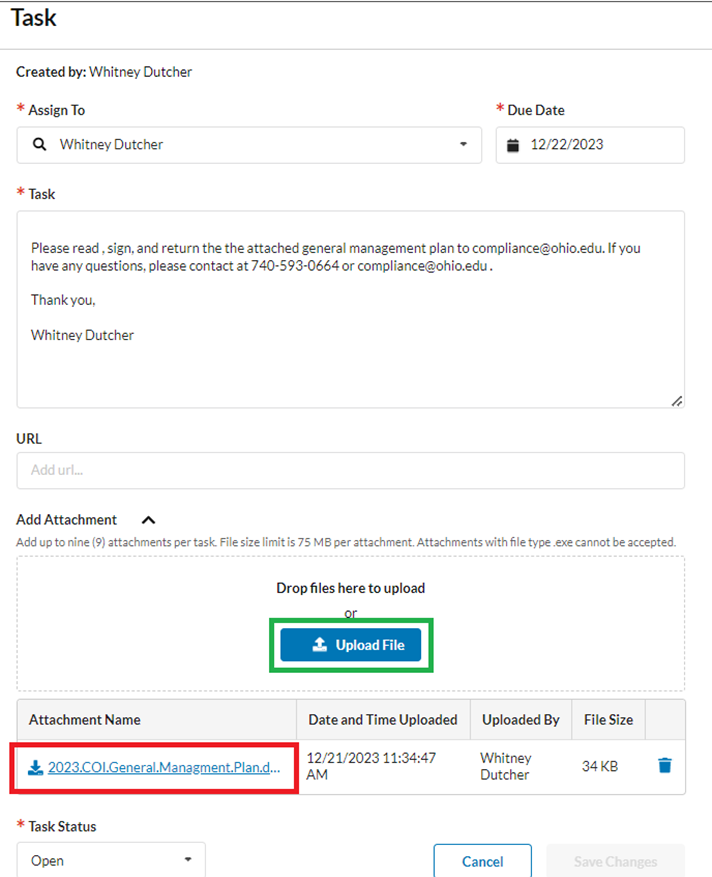
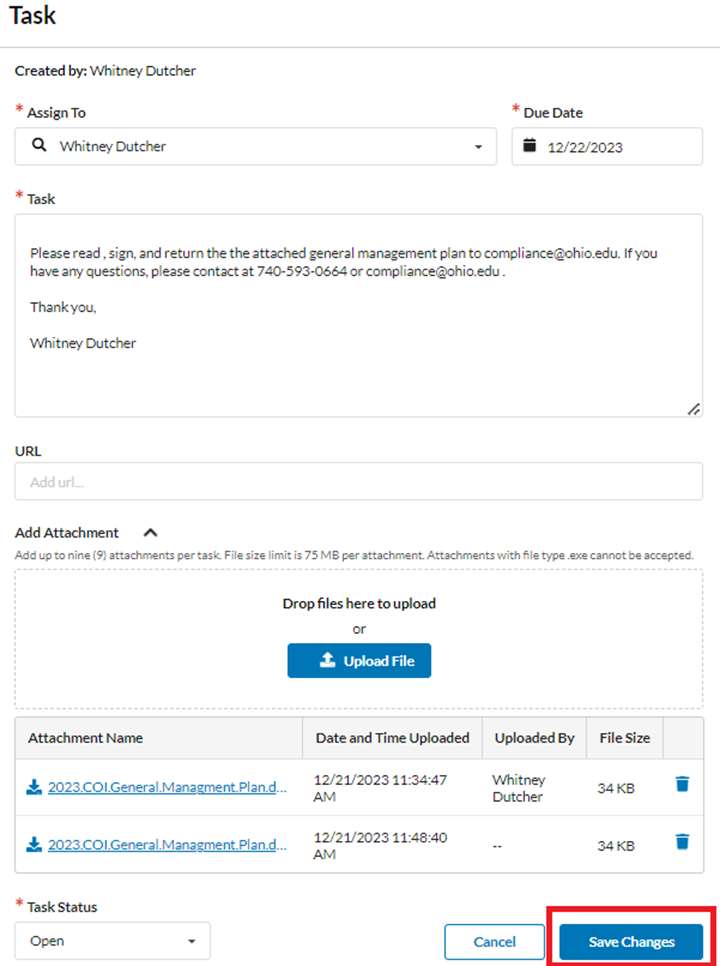
Download the plan (highlighted below in red). Once you have reviewed and signed your management plan. Attach the signed plan using the “Upload File” feature. Finally, select “Save Changes”.
If you have any questions or if you need assistance, please contact the Office of Research Compliance at 740-593-0664 or at compliance@ohio.edu. Thank you!